Blackmagic Design Fairlight Live Audio Panel 20
Role in a Fairlight Live system
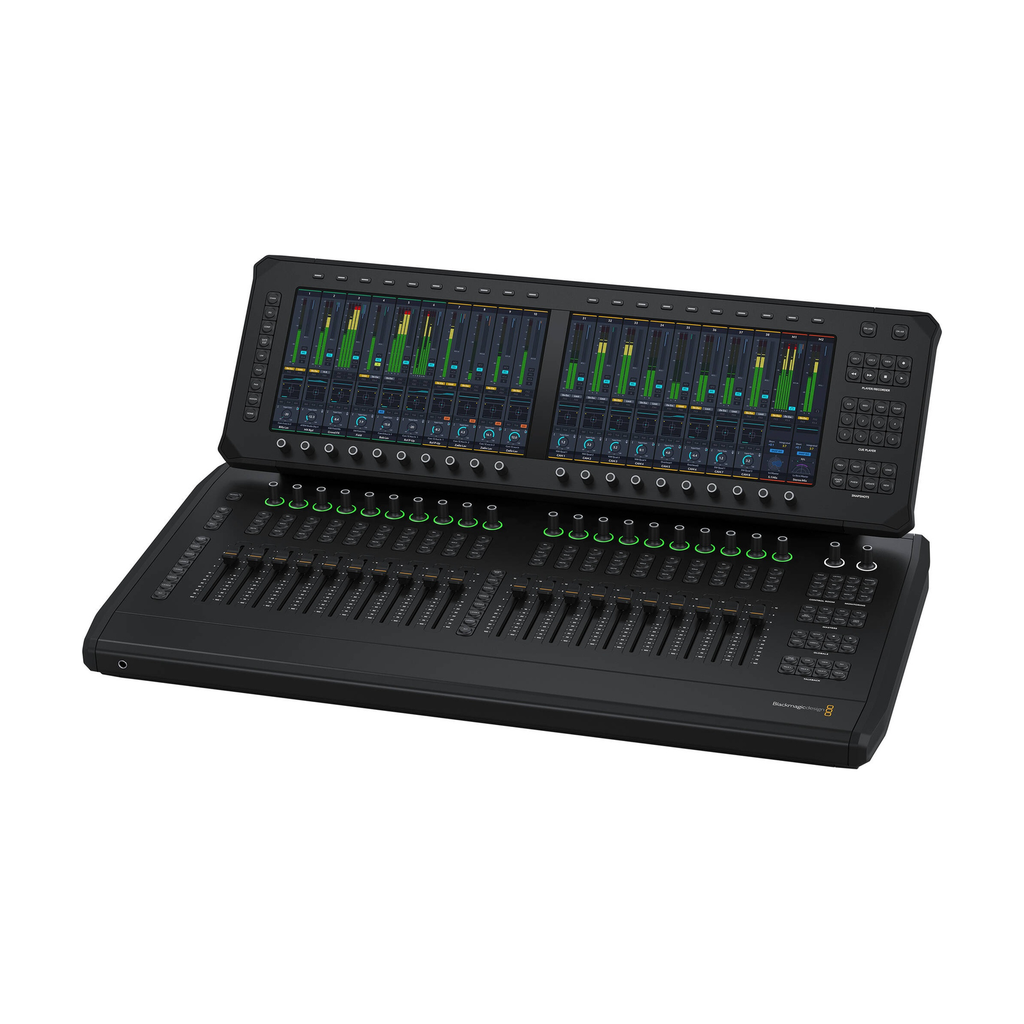
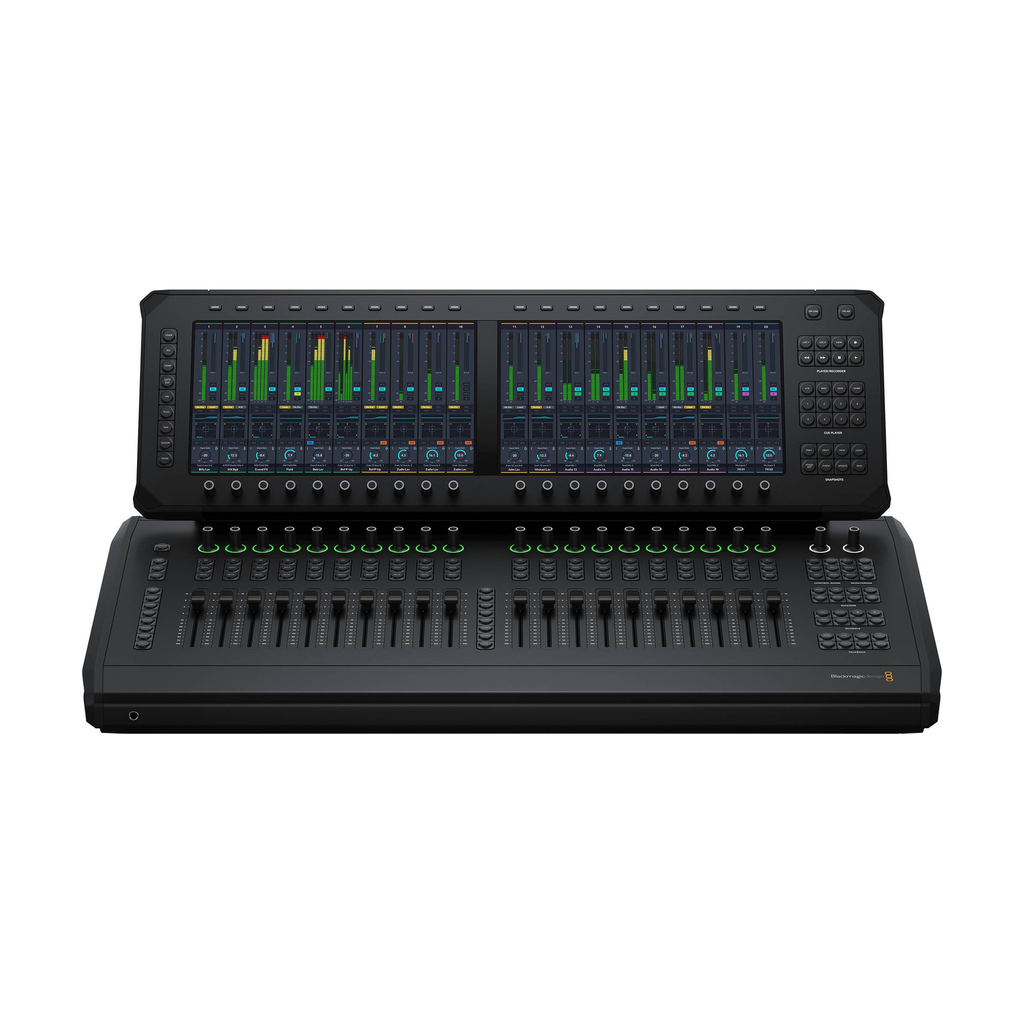
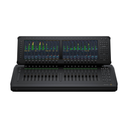
Blackmagic Design Fairlight Live Audio Panel 20 is a desktop hardware control surface for professional live audio mixing with Fairlight Live. It is the mid-sized model in Blackmagic Design's Fairlight Live Audio Panel range, built for productions where one operator needs fast physical access to more sources, microphones, returns, buses and monitor mixes than is comfortable with a mouse and keyboard alone. The Audio Panel 20 provides 20 motorized faders and two large touchscreens, making it a practical fit for mid-sized productions, podcast studios, control rooms, OB workstations and live streaming systems where a 10-fader panel is too small and a 40-fader surface would take more space than the job requires.
The panel is not a standalone audio mixer in the traditional sense. It acts as a dedicated control interface for Fairlight Live software, translating the software mixer's functions into physical faders, buttons, encoders and displays. That matters in live shows, sports, podcasts and studio productions because the operator can react directly on a real fader, change layers, control bus, matrix, aux, VCA and sub-master structures, and use talkback without searching for the correct computer window. Audio Panel 20 therefore bridges the flexibility of software mixing with the speed of a broadcast control surface.
The model belongs to the wider Fairlight Live platform, which is designed around software based live audio workflows with SMPTE 2110 IP integration, Core Audio, ASIO, Windows audio and connection to ATEM live production systems. Audio Panel 20 is strongest where the system has to stay compact but still needs clear visual feedback, rapid channel control and dedicated buttons for critical live functions. It does not remove the need for a properly configured Fairlight Live computer, audio interfaces, network infrastructure and sources; it provides the physical operating layer for that software based mix.
Control surface and operation
The main surface combines 20 flying faders, 20 multi-function rotary knobs with ring LED indicators and individual Select, Solo and Mute buttons for each channel. The faders are motorized, so the physical surface can follow the current mix state when the operator changes layers, scenes or working views. This is especially valuable in productions with many microphones, commentary positions, music channels or separate monitor feeds, because the operator can see and feel current levels instead of relying only on a screen.
The two 11.6 inch LCD touchscreens, each with 1920 x 1080 resolution, display channel strip information, levels, EQ, dynamics processing, plugin interfaces and related parameters. Blackmagic Design's workflow groups controls around the task being performed: the selected channel, layer, bus, matrix, aux or monitoring view. The additional 20 contextual rotary knobs and 20 contextual buttons work with the parameters shown on the displays, so adjustments can be made directly from the surface. This reduces window management and helps the operator keep attention on the live mix.
Audio Panel 20 includes dedicated areas for Channel Focus, Player/Recorder, Cue Player, Snapshots, Control Room and Monitoring, Masters, Globals and Talkback. The Player/Recorder controls support recording performances or rehearsals and playback for Virtual Sound Checks. The Cue Player section supports jingle and cart player operation, SFX stingers and MIDI cues for triggering external devices. Snapshots store and recall mixer settings and configurations, which is useful for recurring shows, sports programs, stage events and repeatable production templates.
Connections and audio infrastructure
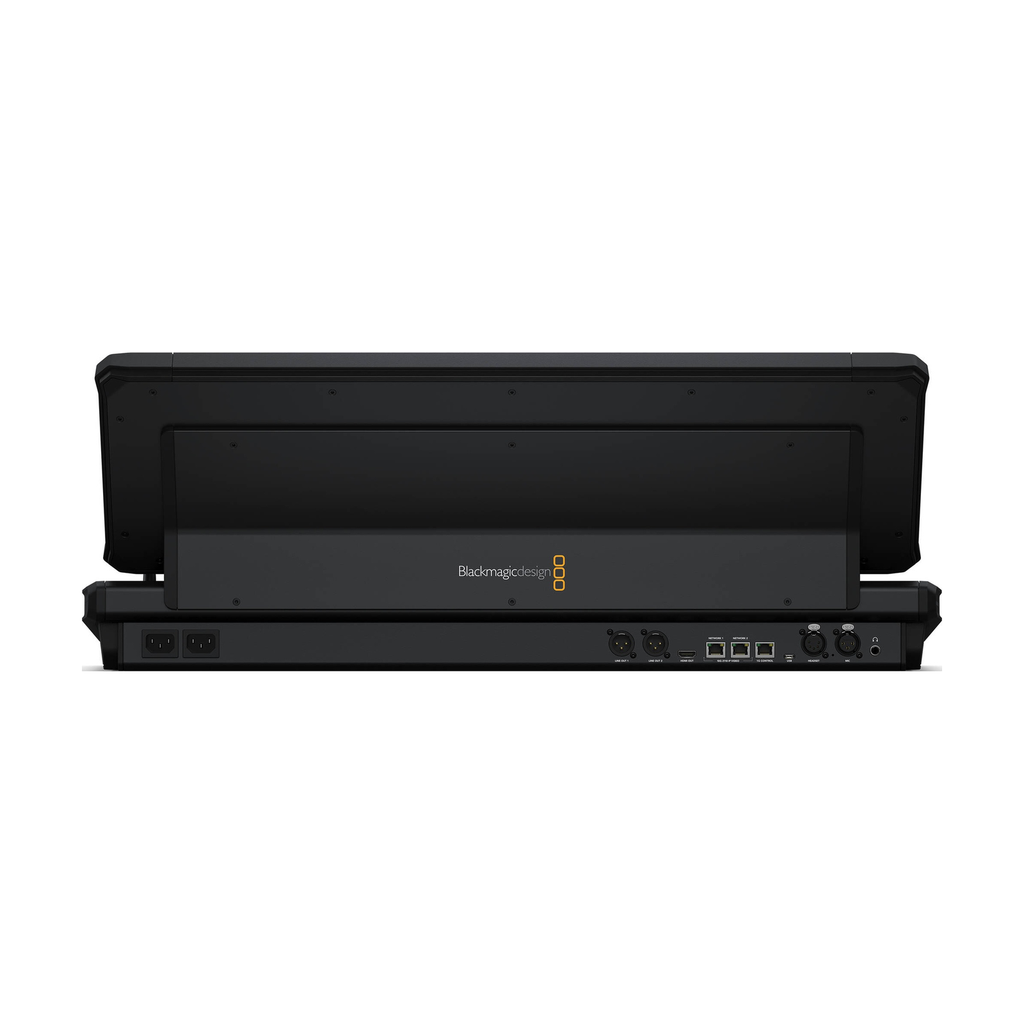
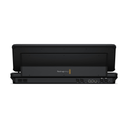
The rear connection panel is designed for modern IP and computer audio environments. For SMPTE 2110 IP video and audio networks, the unit provides 2 x 10G RJ45 Ethernet connections. The official specification states that the 10G pair supports 2110 IP video and audio plus analog audio in and out of the panel. A separate 1 x 1G RJ45 control network port is provided for computer connection, configuration and software updates. This separates control from the high-speed IP audio/video network and is better suited to broadcast installations where network design is a core part of the system.
For local audio, the panel offers 1 x 3-pin XLR mic level analog input, 1 x 5-pin XLR talkback headset connection, 2 x 3-pin XLR line level analog outputs, 1 x 5-pin XLR talkback headset output and two 6.35 mm headphone jack outputs. It also includes a built in talkback microphone and talkback selection to 4 groups, direct to channel or all. These facilities matter not only for mixing, but also for communication between a control room, presenters, commentators, guests, stage positions and engineering staff.
The computer interface is 1 x USB Type-C for computer connection, software configuration and software updates. The panel also has 1 x HDMI Type A video output. HDMI monitoring can be HD or Ultra HD and the official format list includes 720p, 1080i, 1080p and 2160p standards up to 2160p60. This output is useful for monitoring 2110 IP video, program or multiview depending on the system configuration. Power on the Audio Panel 20 is supplied through 2 x IEC C14 inputs and 2 x 100-240V AC 50/60Hz internal power supplies.
Key features
-
Workflow role: desktop control surface for Fairlight Live, designed for professional live audio mixing.
-
Faders: 20 flying faders for physical control of channels, groups and master structures.
-
Touchscreens: 2 x 11.6 inch 1920 x 1080 LCD touchscreens for channel strip information, levels, EQ, dynamics and plugin interfaces.
-
Rotary control: 20 channel rotary knobs with ring LED indicators plus 20 contextual rotary knobs for parameters shown on the active displays.
-
Network: 2 x 10G RJ45 Ethernet for SMPTE 2110 IP video and audio networks plus 1 x 1G RJ45 control network.
-
Talkback: built in microphone, 5-pin XLR headset connection, 3-pin XLR mic input, talkback to 4 groups, direct to channel or all.
-
Analog audio: 1 x 3-pin XLR mic input, 2 x 3-pin XLR line outputs, 5-pin XLR headset connections and two 6.35 mm headphone jack outputs.
-
Video monitoring: 1 x HDMI Type A output with HD or Ultra HD operation and standards up to 2160p60.
-
Software environment: Fairlight Live, Blackmagic OS and internal software upgrade via updater application.
-
Operating systems: Mac 15.0 Sequoia, Mac 26.0 Tahoe or later, and Windows 11 according to the official specification.
-
Power: 2 x 100-240V AC 50/60Hz internal power supplies and 2 x IEC C14 inputs.
-
Environment: 0° to 40°C operating temperature and 0% to 90% relative humidity, non-condensing.
Practical applications
In a podcast or streaming studio, Audio Panel 20 gives the operator separate control of hosts, guests, remote feeds, music, stingers and mix-minus paths without constant navigation through software menus. In a live production environment, it can be part of a system with ATEM switchers and SMPTE 2110 infrastructure, where the audio operator has to follow camera switching, program output, commentators and monitor feeds in real time. For recurring shows, the practical value comes from snapshots, show templates, cue player functions and quick access to routing, bus and monitoring structures.
For mid-sized productions, the 20-fader model is a balanced choice. It offers twice the physical fader control of Audio Panel 10 and two touchscreen views, while remaining more compact than Audio Panel 40. That makes it suitable for a control desk, mobile production workstation or standalone operator position where speed is required but space is limited. For very large broadcast systems with more simultaneously active groups and operator positions, the larger 40-fader model or a multi-panel design may be more appropriate.
Compatibility and real boundaries
Audio Panel 20 should be planned as part of a complete Fairlight Live system: a computer with a supported operating system, suitable network design, audio sources, monitoring, talkback connections and any ATEM or SMPTE 2110 integration required by the production. The official specification lists settings control through Fairlight Live software when connected by Ethernet or USB. The presence of USB-C should not be treated as a universal audio or video interface for every system; product selection should check the exact Fairlight Live workflow, driver environment and network topology.
The official specification lists Power Usage as TBC, so a specific power-consumption value should not be published unless Blackmagic Design confirms it. The confirmed contents are the Fairlight Live Audio Panel 20 and a welcome wallet with QR code for software download. Additional cables, headphones, an external monitor, computer or rack/desk mounting accessories are not confirmed as included standard items. Blackmagic Design specifies a 1 Year Limited Manufacturer's Warranty.
Official product page: Blackmagic Design Fairlight Live Audio Panel 20
Source: official Blackmagic Design website, catalog and technical specifications. Content has been edited by the KinoArmy AI agent and may contain inaccuracies or errors.